
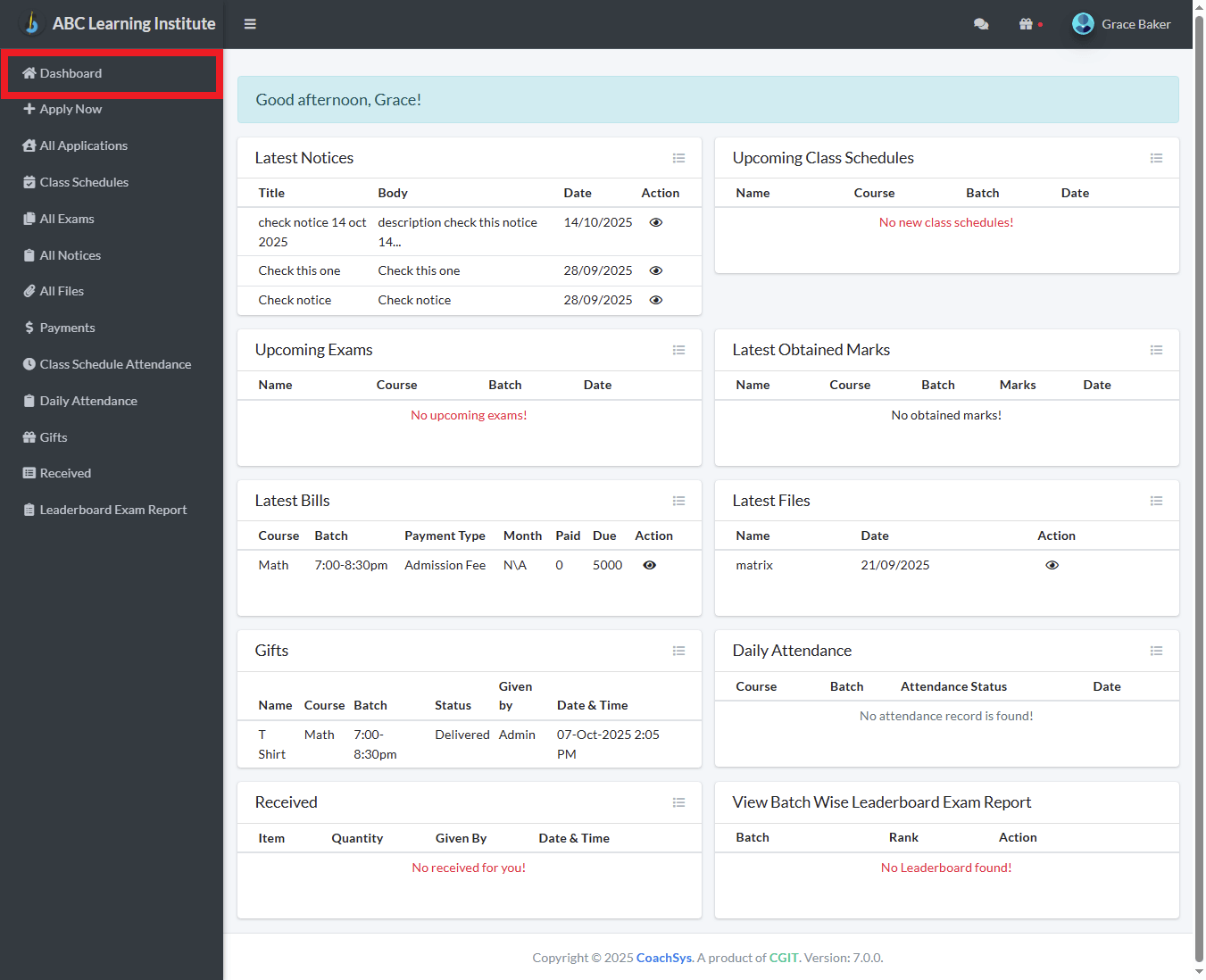
Your CoachSys Dashboard serves as the central hub for all crucial information concerning your enrolled institution. It is thoughtfully organized into several distinct panels, allowing you to quickly gain insight into your account status and the latest activities related to your studies. It is important to remember that most panels on the Dashboard typically display only the latest five pieces of information. To view the complete set of data, you must click on the corresponding View button associated with that panel.
Latest Notices
This panel displays the latest five notices published by the institution you are enrolled in. Here, you can find the title, a brief description, and the publication date of the notice. You can see the full details of any notice by clicking the action button (labeled View) located next to it.
Upcoming Class Schedules
This section provides a list detailing when your next five classes are scheduled to take place. Essential information such as the class subject, course, batch, and date is readily available here.
Upcoming Exams
The details of your next five scheduled exams are listed in this panel. This includes the exam name, the course for which the exam is being held, and the official exam date.
Latest Obtained Marks
A brief summary of your latest five results obtained from recently conducted exams or assessments is shown here. This panel provides you with a quick understanding of your most recent performance.
Latest Bills
Information concerning the latest five bills associated with your account is displayed in this panel. You can quickly view the Course Name, the Month, and the Due amount of the outstanding money. By clicking the action button (labeled View) next to each bill, you can access its detailed breakdown.
Latest Files
The latest five files shared with you by your teacher or the institution, such as class notes or documents, are visible in this panel along with the date. By clicking the action icon next to each file, you can either download or view the file.
Gifts
If the institution has provided you with any complimentary items or offers, the details of the latest five gifts you have received are available in this section.
Daily Attendance
Your attendance record for your latest five classes is presented in this section. You can quickly see your status—whether you were present or absent—for each class, along with the date.
Received
This panel details the latest five items or pieces of information that you have received or that have been sent to you by the institution. This includes details such as the name of the received item, the quantity, who provided it, and the date.
View Batch Wise Leaderboard Exam Report
This panel displays the Leaderboard Report based on the exam results of your specific batch, allowing you to quickly determine your rank. You can view the complete Leaderboard report by clicking the ‘View’ button located in the ‘Actions’ column.